How to highlight your pointer when screen sharing on a Mac
On a shared screen, the macOS pointer is small and moves fast. People in the call lose it, and “up there, no, the other button” follows. Here is what macOS offers on its own, and what Manicule adds.
1. Make the pointer bigger and give it a color
Open System Settings › Accessibility › Display and look for the Pointer section (the exact place can move a little between macOS versions). There you can:
- drag Pointer size to the right, so the arrow is larger everywhere,
- change the pointer outline color and fill color, for example a bright outline that stands out on most backgrounds,
- turn on Shake mouse pointer to locate, so the pointer grows for a moment when you wiggle the mouse.
This costs nothing and works in every app. The limits: it is still an arrow, a click looks the same as before, and a larger pointer also covers more of what you want to show.
2. Show clicks in a screen recording
For recordings made with the Screenshot app (⇧⌘5), choose Options and turn on Show Mouse Clicks. Each click then gets a circle in the video. It only applies to these recordings, not to a live call.
3. Presenter Overlay in video calls
On a Mac with Apple silicon, Presenter Overlay puts your camera image in front of or next to the screen you share, from the video menu in the menu bar. People see you gesture, which helps, but it does not mark a spot on the screen.
4. A hand on a stick with Manicule
Manicule swaps your pointer for a little cartoon hand on a stick while it is on. Press ⌃⌥H, point, and click: everyone sees a tap with a sound and a ripple, and nothing underneath gets clicked, so you can tap a button without pressing it. Hold and drag to circle or underline something. Esc puts the hand away and clears the drawing.
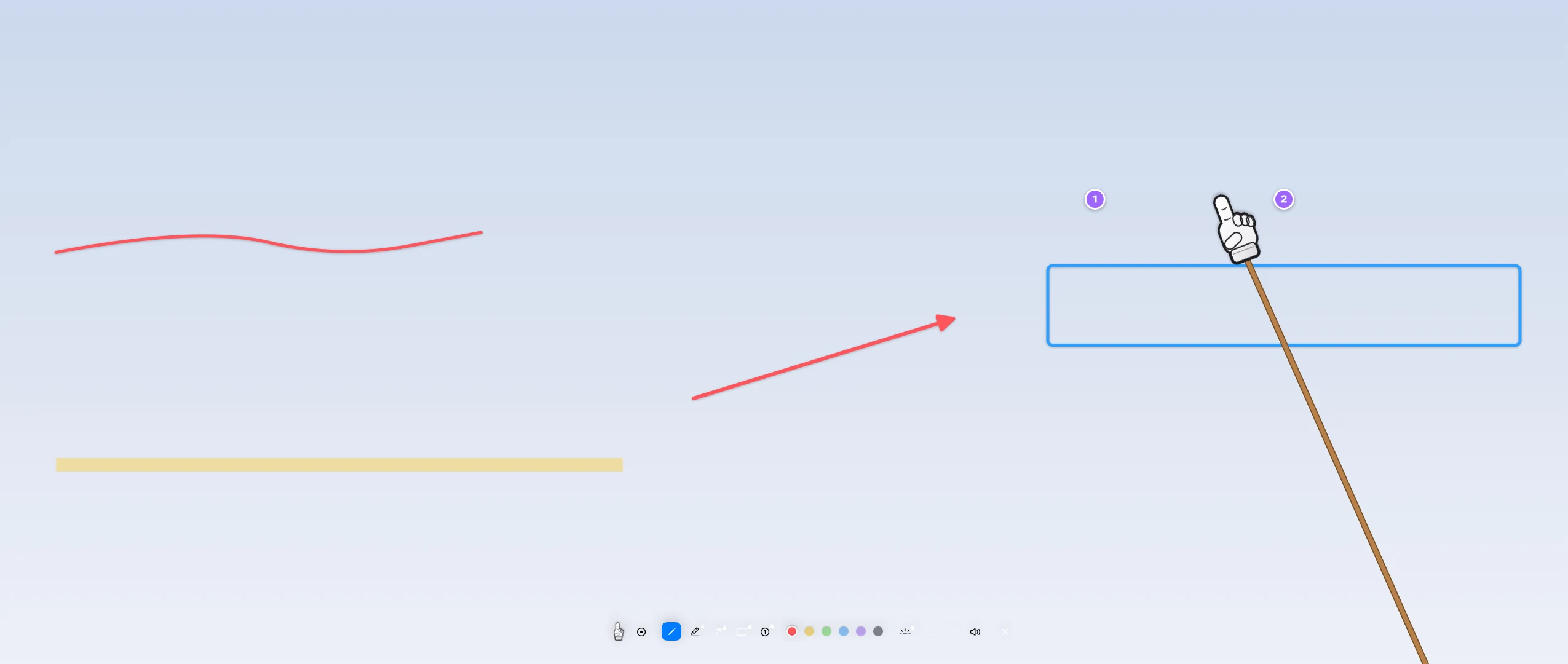
- No Accessibility or Screen Recording permission needed.
- Works on all your screens.
- With Pro: Spotlight darkens everything except a circle around the hand (⌃⌥S).
One thing to know: in a call, the hand is visible when you share a whole screen. If you share only one app window, it is not, because it is not part of that window.
Manicule turns your pointer into a little hand on a stick: click to tap with a sound and a ripple, drag to draw, Esc to put it away. No permissions, free to use for good, Pro is €4.99 once.
See Manicule