No permissions
No Accessibility and no Screen Recording access. Manicule never reads what is on your screen and never clicks for you.
Menu bar app for macOS
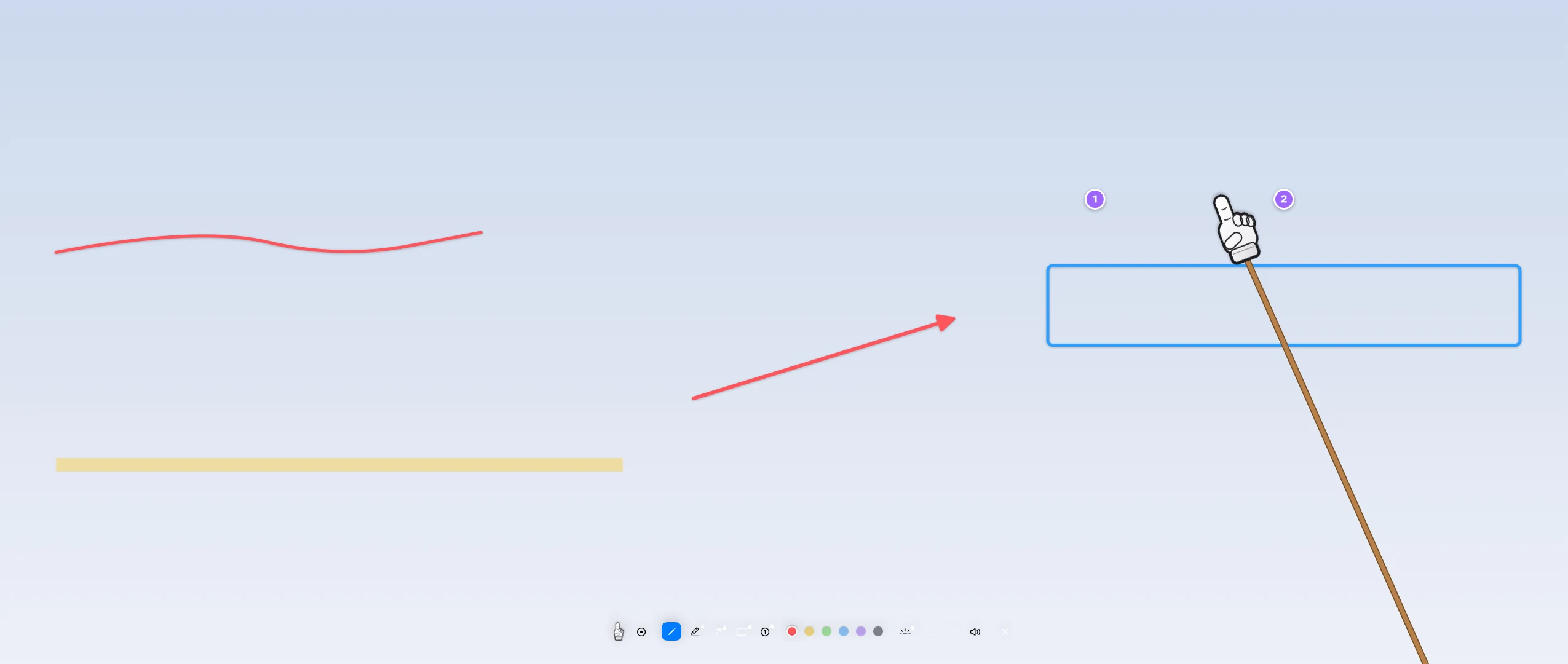
Manicule swaps your pointer for a little cartoon hand on a stick while it is on. Click, and everyone sees a tap with a sound and a ripple. Hold and drag, and you draw on the screen. Press Esc, and it is gone.
Free to use for good. Pro is €4.99 once, with a 14-day trial. No account, no subscription.
macOS 26 or later. No Accessibility or Screen Recording permission needed. Works on all your screens.
How it works
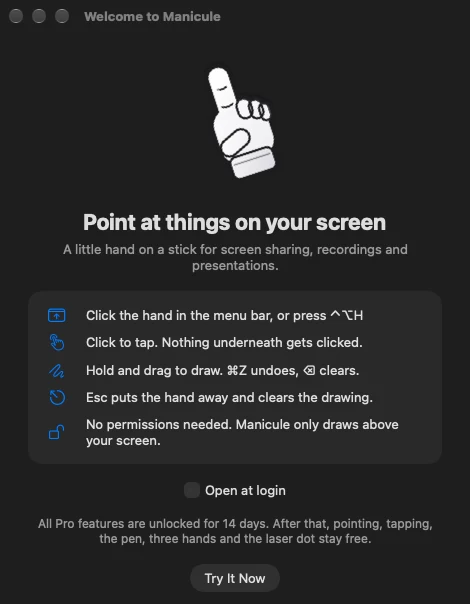
Click the hand in the menu bar or press ⌃⌥H. Your pointer becomes a hand on a stick that sways a little as you move.
Click to show a tap with a sound and a ripple. Nothing underneath gets clicked, so you can point at anything safely.
Hold and drag to draw. ⌘Z undoes, ⌫ clears. L turns the hand into a laser dot.
Press Esc. The hand goes away, the drawing is cleared, and your normal pointer is back.
Features
The hand sits on a stick that follows your pointer with a little spring. A click shows a tap with a sound and a ripple. Drag to draw with the pen, or pick the highlighter, an arrow, a box or numbered steps from the small toolbar at the bottom of the screen.
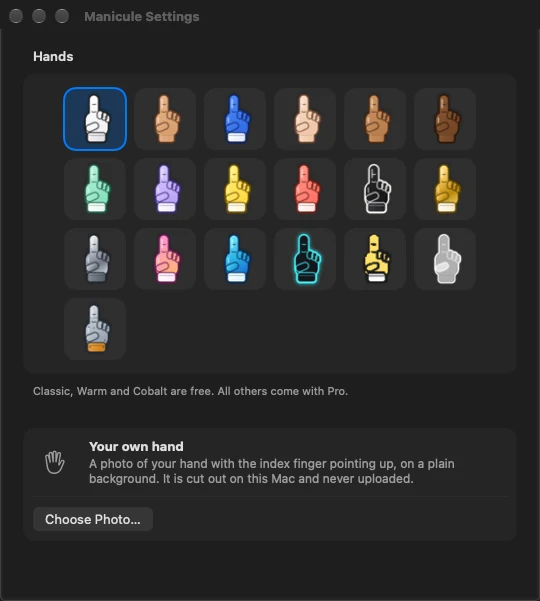
Classic, Warm and Cobalt come free. Pro adds 16 more: skin tones Light, Tan and Deep, plus Mint, Lavender, Lemon, Coral, Night, Gold, Chrome, Candy, Ocean, Neon, Pixel, Ghost and Robot. Three hand sizes for any screen.

Take a photo of your own pointing hand on a plain background. Manicule cuts it out on your Mac with Apple's Vision framework and puts it on the stick. The photo is never uploaded.
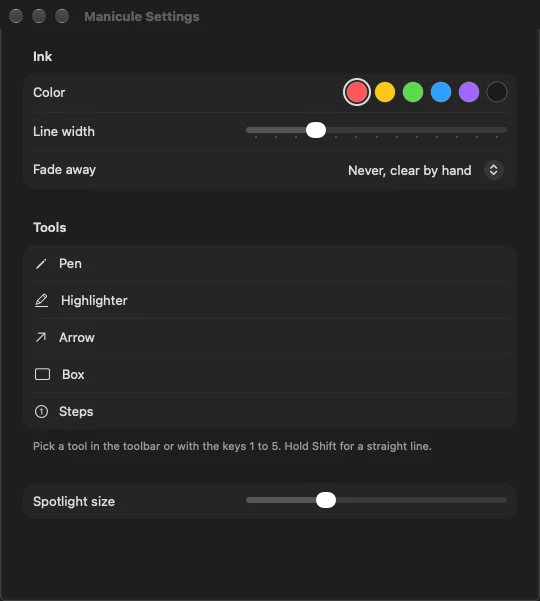
Spotlight darkens the screen except a circle around the hand, so everyone looks where you point. Mark lines with the highlighter, draw arrows and boxes, and number your steps. Six ink colors, and ink that fades by itself if you like.
Manicule does not ask for Accessibility or Screen Recording access. It only draws above your screen, and only while the hand is on. Start it, and it is ready.
Keyboard
| ⌃⌥H | Hand on or off |
|---|---|
| ⌃⌥X | Clear the drawing |
| ⌃⌥S | Spotlight |
| Esc | Put the hand away and clear |
|---|---|
| ⌘Z | Undo |
| ⌫ | Clear |
| L | Laser dot |
| S | Spotlight |
| 1 to 5 | Pen, highlighter, arrow, box, steps |
| T | Show or hide the toolbar |
Free and Pro
| Free | Pro | |
|---|---|---|
| Hand on a stick, taps with sound | Included | Included |
| Pen in one color | Included | Included |
| Three hands: Classic, Warm, Cobalt | Included | Included |
| Laser dot, undo, three hand sizes | Included | Included |
| No permissions, all screens | Included | Included |
| 16 more hands | Not included | Included |
| Your own hand from a photo | Not included | Included |
| Spotlight | Not included | Included |
| Highlighter, arrow, box, numbered steps | Not included | Included |
| Six ink colors, fading ink | Not included | Included |
| Six tap sounds | Not included | Included |
The first 14 days include everything.
Private by design
No Accessibility and no Screen Recording access. Manicule never reads what is on your screen and never clicks for you.
Dodo Payments for the license (key and Mac name, then a weekly check) and this website for Manicule's own updates. No analytics, no tracking. Details.
The photo for your own hand is cut out on your Mac and kept there. It is never uploaded.
Pricing
14 days with everything. No account, no card.
€0 for good
€4.99 one-time
Prices include tax. [PLATZHALTER: Steuerhinweis zum Preis] Sold by Dodo Payments as merchant of record. 14-day right of withdrawal, even after download: details · license terms
FAQ
No. Manicule needs neither Accessibility nor Screen Recording access. While the hand is on, Manicule puts a clear layer over your screens and catches the clicks itself. It never reads what is on your screen and never clicks anything for you.
No, and that is on purpose: a click becomes a visible tap with a sound and a ripple, and nothing underneath gets clicked. Press Esc to put the hand away (it also clears the drawing) or ⌃⌥H to switch it off and on.
When you share or record a whole screen, the hand, the taps and the drawings are part of the picture like any other window. If you share only a single app window, they are not, because they are not part of that window.
Yes. Manicule works on all connected screens, and the hand follows your pointer from one to the next.
Free for good: the hand on a stick, taps with sound, the pen in one color, three hands (Classic, Warm, Cobalt), the laser dot, undo and three hand sizes. Pro adds 16 more hands, your own hand from a photo, Spotlight, highlighter, arrow, box, numbered steps, six ink colors, fading ink and six tap sounds, for €4.99 once, on 2 Macs, with all 1.x updates. The first 14 days include everything.
Only two things: when you activate a license key, Manicule sends the key and your Mac's name to Dodo Payments and then checks the key about once a week; and about once a day it asks this website whether there is a new version. No analytics, no tracking. Details in the privacy policy.
More answers in Support.